 GoodMorning
Save time.
Save money.
Scale profitably.
I’ll help you turn your Meta data into precise actions: where to invest, which ads to scale, and what to test next.
I normally charge $1,000 an hour for account audits. Book 30 minutes for a free audit + GoodMorning walkthrough.
Your account. Your next stage of growth.
Step 1 of 3
What’s your email address?
A few quick questions, then choose a time for your demo.
- Accounts audited
- 300
- Spent on Meta
- $50M
- Ads launched & tested
- 4,000
YOU MIGHT KNOW ME FROM THESE
From your feed.
Into your ad account.
I share how brands grow, what makes ads work, and the decisions behind both. Now let’s apply that thinking to your account.



WHY I BUILT GOODMORNING
A clear plan.
Every morning.
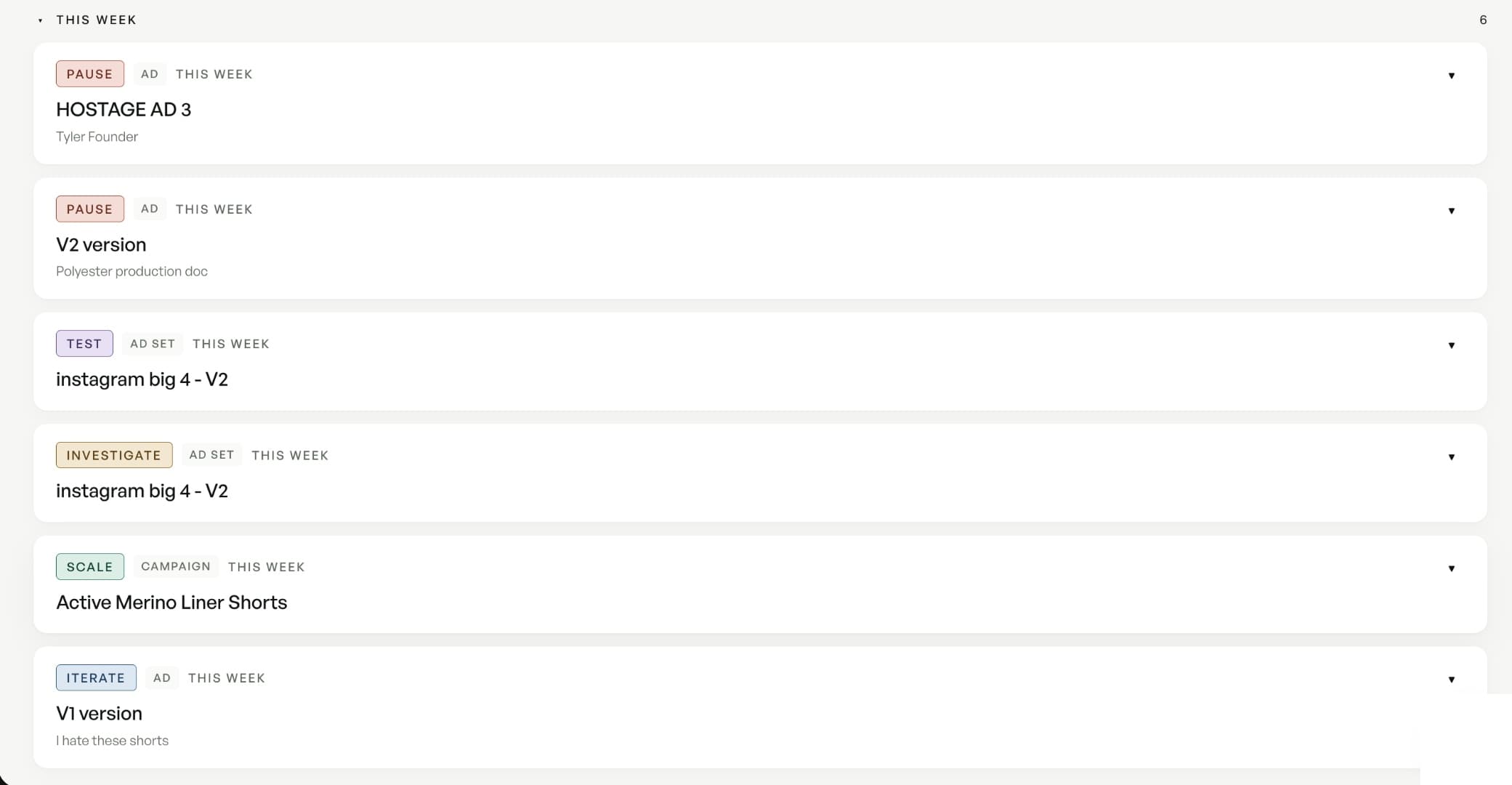
GoodMorning does the daily analysis for you, with prioritized recommendations that keep your team focused on the next opportunity.
WHAT WE’LL DO TOGETHER
- See the full picture.Connect your account with read-only access. You stay in control of every change.
- Build your growth plan.Identify promising campaigns, fresh creative tests and opportunities to put your budget to better use.
- Keep the momentum.See how GoodMorning turns your results into a plan you can act on.
Your next move, explained.
Your time back.
INSIDE GOODMORNING
See what scaling
looks like.
Six accounts in GoodMorning. See how their ad spend grew, with the returns alongside it — so you can see the whole picture.
+40.2%
increase in Meta ad spend
Jul 1–31, 2026
- Ad spend
- $21,931
- Purchase ROAS
- 4.05×
Aug 1–31, 2026
- Ad spend
- $30,757
- Purchase ROAS
- 3.81×
+27.8%
increase in Meta ad spend
Aug 1–28, 2026
- Ad spend
- €17,013
- Purchase ROAS
- 3.52×
Sep 1–28, 2026
- Ad spend
- €21,746
- Purchase ROAS
- 3.02×
+19.8%
increase in Meta ad spend
Aug 1–28, 2026
- Ad spend
- $28,069
- Purchase ROAS
- 1.83×
Sep 1–28, 2026
- Ad spend
- $33,650
- Purchase ROAS
- 2.13×
+9.1%
increase in Meta ad spend
Aug 1–28, 2026
- Ad spend
- RM 22,235
- Purchase ROAS
- 1.65×
Sep 1–28, 2026
- Ad spend
- RM 24,266
- Purchase ROAS
- 2.03×
+9.1%
increase in Meta ad spend
Jul 1–31, 2026
- Ad spend
- $2,057
- Purchase ROAS
- 9.84×
Aug 1–31, 2026
- Ad spend
- $2,246
- Purchase ROAS
- 7.77×
+1.5%
increase in Meta ad spend
Jul 1–31, 2026
- Ad spend
- $34,857
- Purchase ROAS
- 3.14×
Aug 1–31, 2026
- Ad spend
- $35,397
- Purchase ROAS
- 2.75×
Actual Meta spend, with equal-length periods for each brand. ROAS = Meta-attributed purchase revenue ÷ ad spend; it excludes product costs and fees. Figures rounded down. Selected historical results, not measured lift caused by GoodMorning or a promise of your results.
Before you book
The questions that always come up.
Let’s plan your next stage of growth.
Bring your goals. We’ll spend 30 minutes turning them into clear next steps.
Every suggestion comes from the same playbook he used on those accounts, not generic AI guesses. Not only does it save you time, but you also know you're doing the right thing for your ad account.